Atlas ai backtesting agent
Accessing Atlas
Learn how to access Atlas, which is included with every AlgoAlpha plan, and sign in through app.algoalpha.io/atlas.
Access
Atlas is included with every AlgoAlpha plan. This includes the Indicators Plan, Signals Plan, and VIP Bundle. You do not need to purchase Atlas separately.
Your Atlas access remains active for as long as you have an active AlgoAlpha subscription.
Logging In
- Visit the site and click Login in the top navigation.
- Sign in with the AlgoAlpha account linked to your active subscription.
- Once authenticated, you will be redirected to the Atlas chat.
You'll be taken directly to the Atlas chat interface, ready to start searching.
If you don't have an AlgoAlpha plan yet, you can create one at www.algoalpha.io. Any AlgoAlpha plan includes access to Atlas.
What You'll See
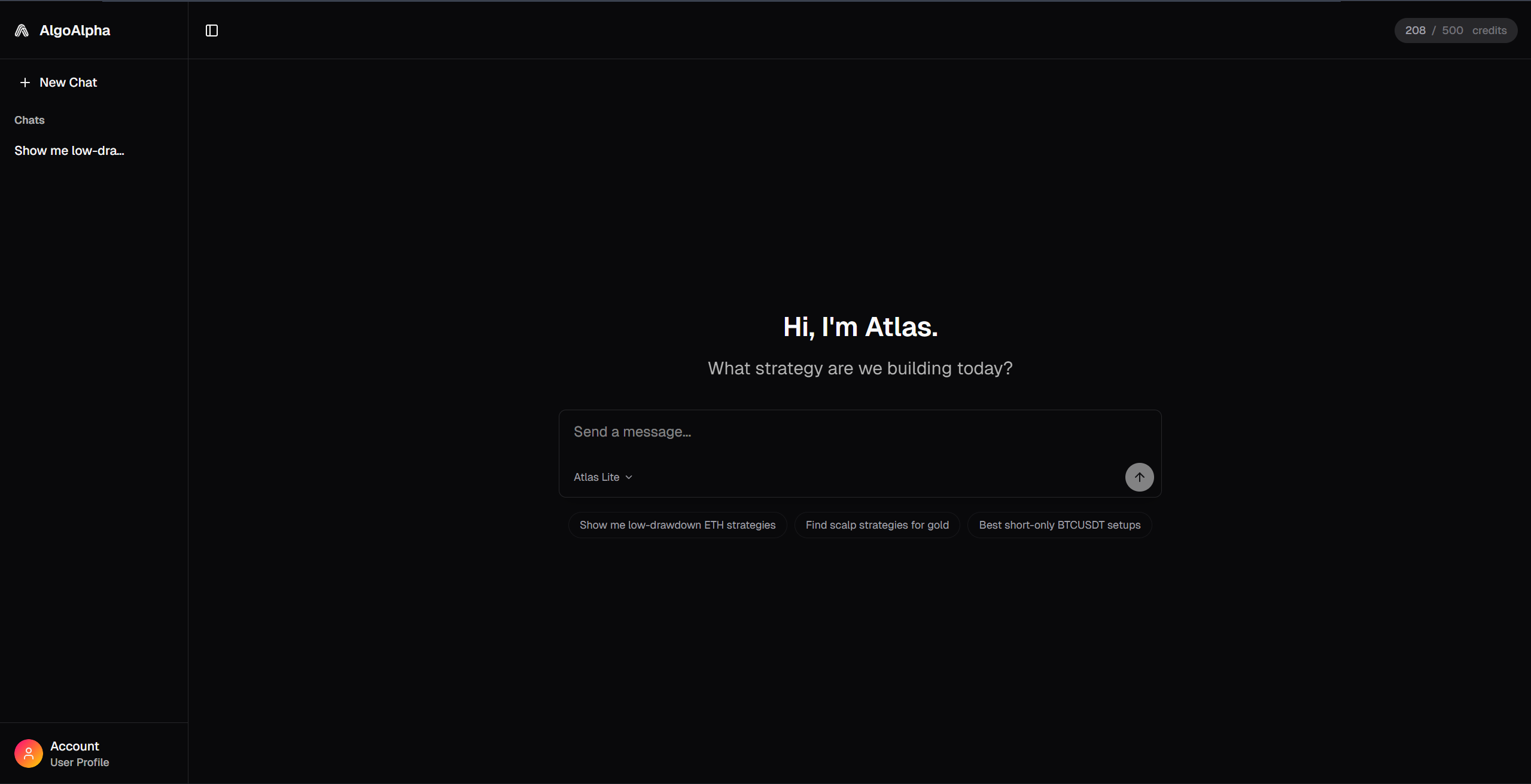
After logging in, Atlas opens to a clean chat interface with:
- A greeting: "Hi, I'm Atlas."
- A prompt: "What strategy are we building today?"
- A text input at the bottom for your message
- Your credit balance in the top-right corner